Introduction
HR professionals use PDF files to store business documents such as employee records, payroll summaries, reports, and other organizational data. Sometimes these files need to be reviewed, updated, or analyzed to make analysis reports.
However, PDFs are not editable, especially when they are structured in table formats. HR needs to edit and organize to analyze information quickly & accurately. For this, they need to convert the PDF file to an editable format without losing structure or quality.
Excel is a very useful choice for playing with tabular data. It allows some special options for modifying table data, such as resizing and adding or deleting rows and columns. Manually copying/pasting data from a PDF into Excel cell-by-cell may be error-prone, time-consuming, and lead to a loss of structure.
So, we need a smart solution for the conversion of PDFs to Excel format without losing structure. Then there's no need to worry about that, as there are special PDF-to-Excel converters available. These online tools extract PDF data into Excel by maintaining accuracy.
HR professionals can easily extract or convert tables into editable Excel sheets. It makes it easier to modify, sort, or analyze any data accurately. In this blog, we will discuss the step-by-step method to convert the data from PDF to Excel by using a helpful tool.
Steps to Convert PDF-based Table Data into Excel Sheet with Online Tool
Here we provide a few simple steps that you can use to convert any PDF-based tabular data into Excel with the help of online tools.
Select a PDF to Excel Converter
The first step is you have to find a suitable PDF to Excel converter that seamlessly performs this type of conversion. You can easily find such types of converters online. But, due to the wide availability of tools, it might be difficult to choose the right one.
But you have to think wisely to choose the right tool. To help you out, we have discussed some useful factors that you can consider:
- The first factor is to find such a converter that allows you to perform the conversion without paying any fee. Because you need to use them frequently.
- Secondly, it’s best to choose such a PDF to Excel converter that offers multiple features like multiple file uploads, preview functionality, and a download option.
- Lastly, it should not compromise the structure & data integrity of the original table in the conversion process.
By considering these factors, you will pick the most suitable tool from the wide range of options. Fortunately, we have found a versatile converter from PDF to Excel that fulfills all of the above factors.
Now, we will be using this tool and providing the pictorial illustrations in the upcoming steps for their versatile use.
Upload the PDF & Start Conversion
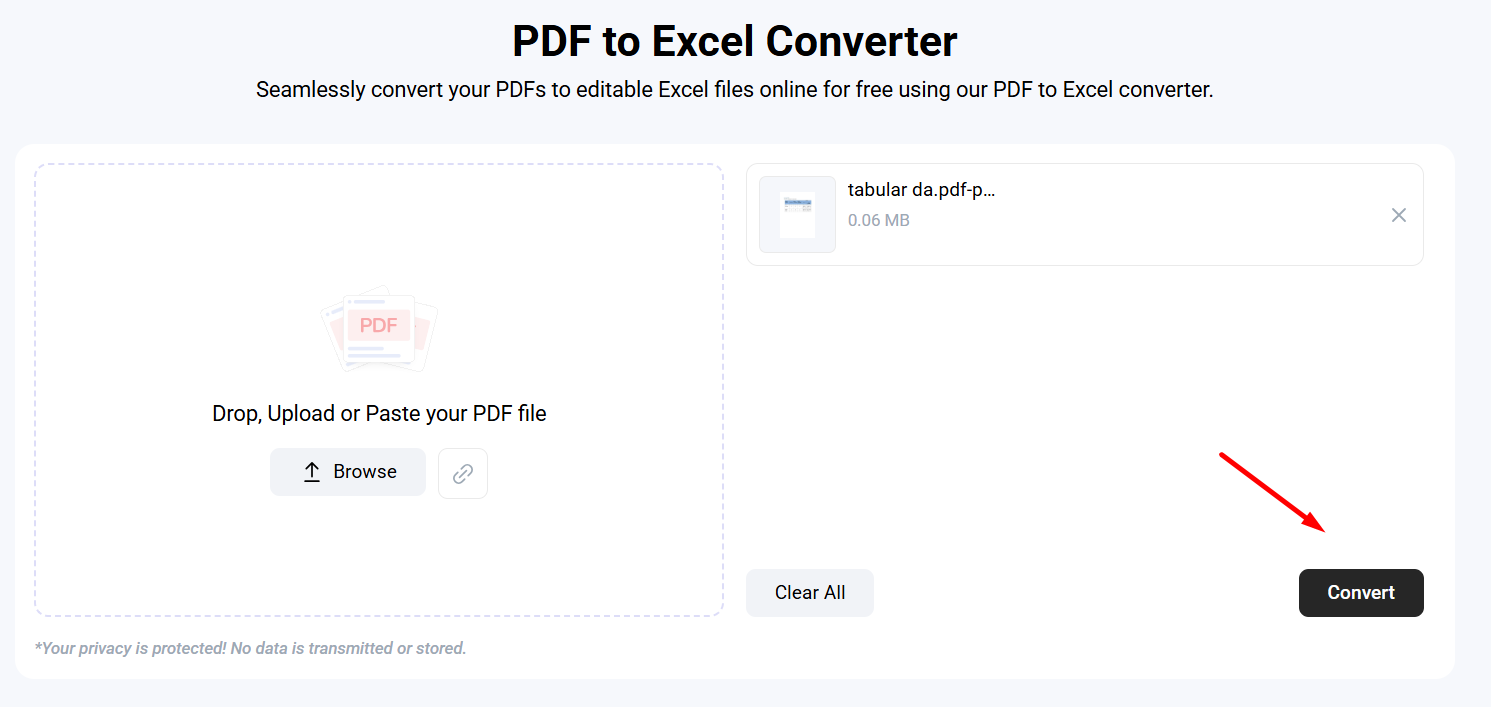
Once you select the right conversion tool, you need to upload your PDF that contains tabular data. Mostly, PDF to Excel converters give multiple upload options, such as dragging/dropping, pasting a URL, and loading from the storage of the device.
The selected one also does this, and you can upload the PDF by using any option. After uploading, click the “Convert” button, and the conversion of PDFs to Excel will begin.
Below is the picture of the selected tool page.
Preview, Edit, or Download the Results
After clicking on the button, you get a converted file based on the stability of your internet connection. Usually, this tool does this conversion in no time. Below is what we got in our case:
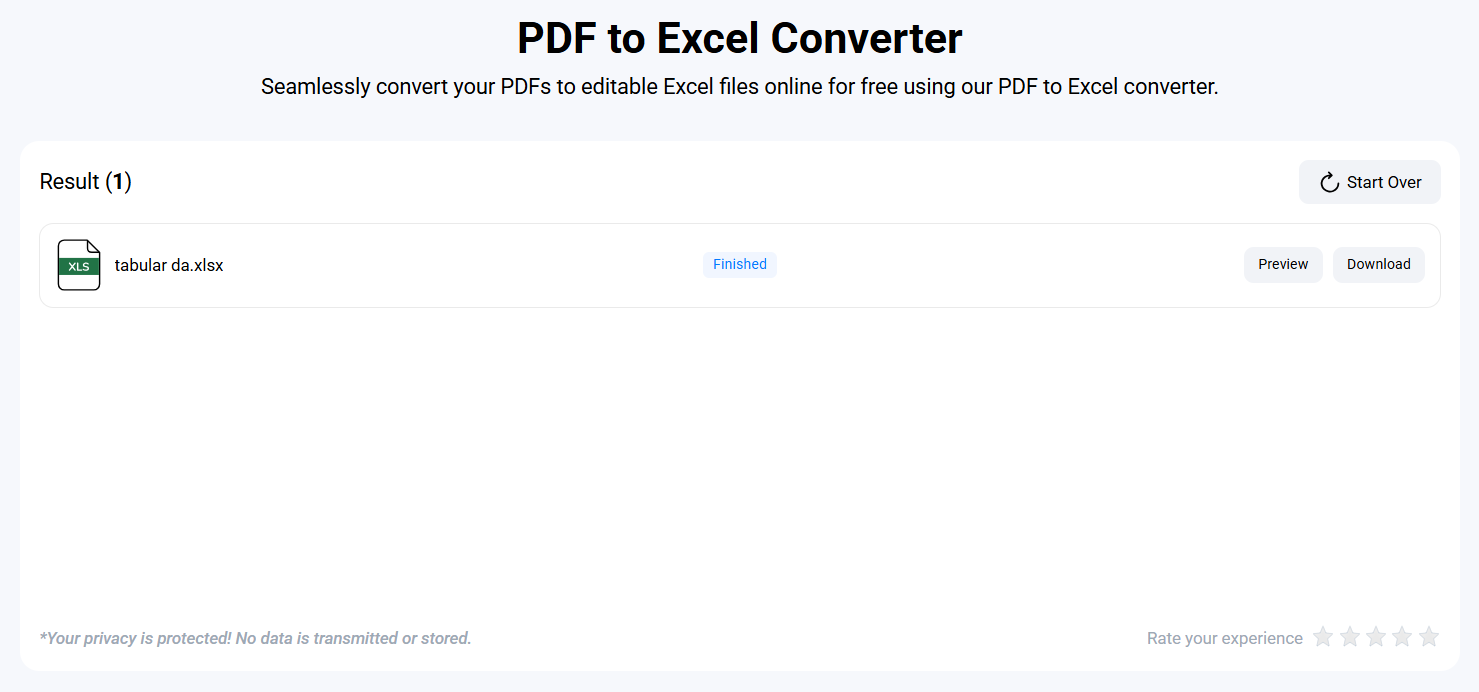
As you can see in the above attachment, this tool has quickly and accurately performed the PDF to Excel conversion. It also provided the option to preview or download a file. By using these options, get your file in an editable version.
So, by following these steps, HR professionals can easily convert tabular data from PDF format into an editable Excel sheet. Also, perform their tasks easily, like editing or making an analysis report.
Conclusion
Manually copy/pasting tabular data from a PDF to an Excel sheet can be prone to errors and may disturb formatting. Fortunately, this will not happen in case you are using advanced online tools.
These are available online and help to convert PDFs into editable Excel in the meantime without compromising structure or quality. In this blog post, we have explained how HR can do this process by utilizing the accurate PDF to Excel converter in detail.
By using such tools in their workflow, HR will streamline data handling , improve the efficiency of reporting, and perform other documentation tasks easily.